








WSB Card Control
We’ve upgraded your card experience!
WSB Card Control replaced the CardValet® app. This new platform offers enhanced security tools, improved performance, and a more modern user experience, giving you greater control over your debit card, anytime and anywhere. 
WSB Card Control allows you to manage your Walden Savings Bank debit card(s) from within digital banking. With no extra apps or logins, we put managing your card control at your fingertips.
A more reliable and intuitive mobile experience
Enhanced fraud monitoring and card security
Improved notification delivery and controls
Ongoing support and future feature enhancements
Our goal is to ensure you continue to have strong, easy-to-use tools to manage and protect your card
What You Can Do with WSB Card Control
- Control card usage (lock/unlock cards, set spend limits, restrict card usage by location and/or merchant type)
- Receive real-time transaction alerts
- Report lost or stolen cards
- View transaction history, spending and more
- Manage recurring payments and cards on file
- Add cards to mobile wallets like Google Pay and Apple Pay
- Set up travel plans to avoid card disruptions
- Much More!

How Do I Get Started?
1. Update your current WSB mobile app: You will need to update the WSB mobile app to the latest version to access WSB Card Control.
Online Banking: Click on Card Control in the green navigation menu at the top of your screen.
Mobile App: Find the Card Control menu button on the left side of your screen.
2. Verify Your Debit Cards: Your debit cards will already be pre-loaded into Card Control. Simply review the information to ensure everything looks correct.
3. Explore and Customize: Take a look at the new features, enable alerts, and set your personalized controls.
4. Delete the CardValet App (for previous CardValet users): Once you’ve transitioned to Card Control, make sure to delete the CardValet app from your phone. Keeping it may result in duplicate notifications and confusion.
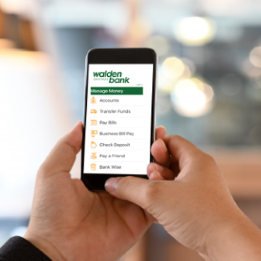
WSB Card Control Frequently Asked Questions
What is WSB Card Control?
WSB Card Control is your all-in-one card management experience built directly into WSB’s digital banking. It helps you stay on top of your spending, protect your card, and manage how your card is used all from the same place you already digitally bank.
Why is WSB moving to WSB Card Control?
WSB Card Control delivers a more modern, seamless experience by bringing card controls, transaction visibility, and security tools together in one place. It’s designed to make managing your card easier, faster, and more secure.
How does WSB Card Control help protect me?
You get real-time alerts and the ability to turn your card on or off instantly if something doesn’t look right. These tools help you spot suspicious activity faster and be able to take action immediately.
If you spot a suspicious debit card transaction, you can use WSB Card Control to turn off your card immediately and contact WSB Customer Service at 845-457-7700 or [email protected] for further assistance.
Will I need a new debit card?
No. Your existing WSB debit card will continue to work normally.
If I currently use CardValet, will my alerts and settings transfer automatically?
No, you will need to set up your alerts and preferences inside WSB Card Control. This is a great opportunity to review and customize your settings.
Is there a cost to use WSB Card Control?
No, WSB Card Control is provided to WSB customers at no charge.
Do I need to download a separate app like CardValet?
No. WSB Card Control is built right into WSB online and mobile banking. There’s nothing new to download. Just log in to start managing your card.
Is WSB Card Control available for both personal and business customers?
Yes. WSB Card Control is available for both personal and business customers. Whether you use your card for everyday personal purchases or business expenses, you can take advantage of real-time alerts, card controls, transaction visibility, and enhanced security tools all within WSB digital banking.
Business customers can use WSB Card Control to help monitor employee card usage, track spending activity, and quickly respond to unusual transactions, while personal customers can use it to manage everyday spending and protect against fraud.
